WOW Presents Plus
- 4.2
- Rating
- 500.00K
- Installs
- Free
- Price

 Analysis by App-foxy
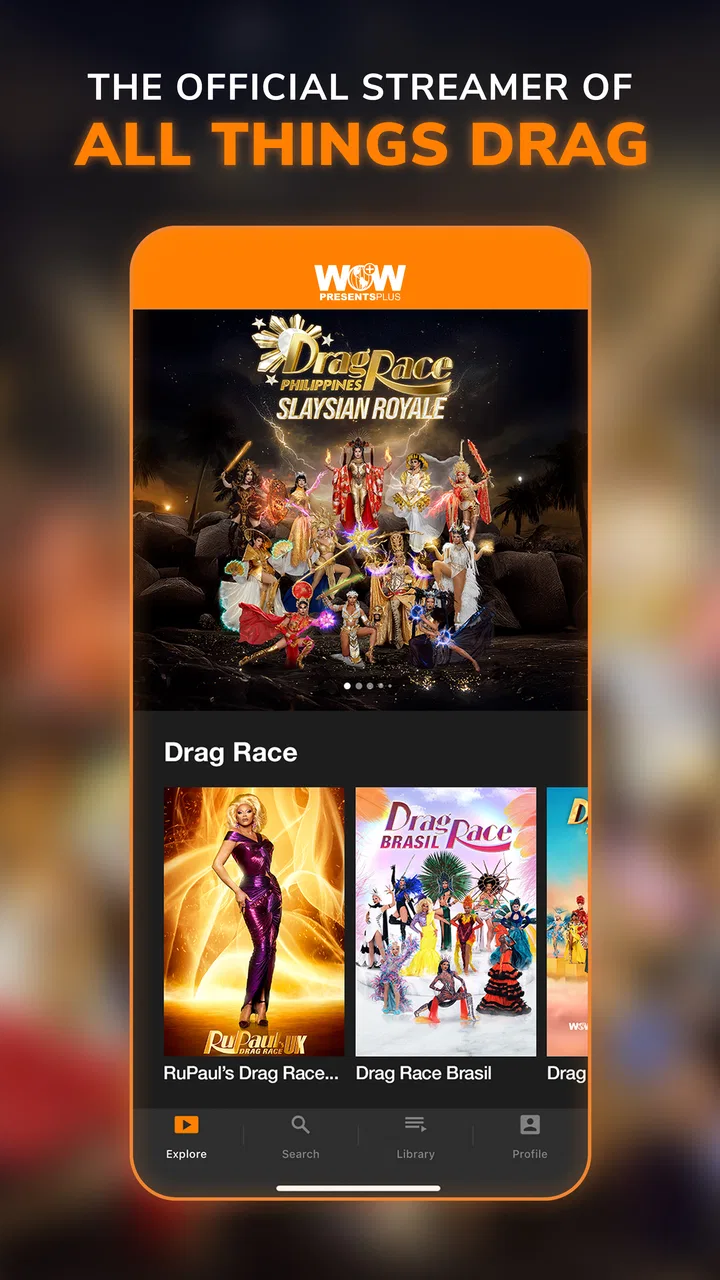
I went into WOW Presents Plus expecting a straightforward home for Drag Race programming, but my experience was a little more layered than that. It is an entertainment app from World of Wonder Productions, Inc., built for viewers who want access to Drag Race and related original programming in one place. The appeal is obvious if that is already your favorite corner of television: instead of searching across several general streaming services, you can open one focused destination and browse shows made for this audience.
What makes the app worth considering is also what makes it less suitable for some people. Its value depends heavily on how often you watch this particular type of content. If you only want an occasional episode or prefer a broad service with films, dramas, sports, and children’s programming, a general streaming platform may fit your routine better. If you regularly follow Drag Race, enjoy behind-the-scenes material, and want documentaries or exclusive originals such as Bring Back My Girls, the narrower catalog can feel much more useful.
The app is free to install, carries a Teen content rating, and has passed the half-million-install mark. Its average score sits at 4.2 from roughly fourteen thousand ratings, with about fifteen hundred written reviews. Those figures suggest a solid audience rather than a tiny specialist experiment, although they do not remove the need to check whether the available programming matches your own viewing habits.
You May Also Like

 Blood Strike: 2.5 Anniversary
Blood Strike’s Loadouts Turn Every Drop Into a Tactical Gamble
A close look at Blood Strike’s custom loadouts: how fast access to signature weapons reshapes its battle royale rhythm, rewards preparation, and narrows the gap between fights.

 Pandora - Music & Podcasts
Pandora’s Music Is Easy to Start, but Harder to Recover
Pandora’s strength is its low-effort path from a seed to a station. Its weak spot is how much confidence it asks you to place in connection, setup, and quiet recovery.

 8 Ball Pool
 Is Built on Rivalries, Rematches, and Routine
A close look at the rivalries, rematches, shared routines, and unanswered safety questions that turn a quick pool match into a persistent mobile community.

 Samsung Music
’s Quiet Strength Is Playing What You Already Own
Its reach comes less from spectacle than from dependable access to a personal library. That simplicity is both the app’s strongest retention engine and its ceiling.

 AccuWeather: Weather Radar
AccuWeather Review: A Quick, Clear Forecast for Everyday Decisions
For everyday plans, the best forecast is the one you can understand quickly. AccuWeather makes rain timing, radar, and local conditions easy to act on, with a few trade-offs.

 Hill Climb Racing
Why Hill Climb Racing Still Turns Crashes Into One More Run
A tiny car, a bumpy hill and one more upgrade: Hill Climb Racing keeps resurfacing because its simple chaos makes every near-miss feel personal.
More From Our News Desk



Getting past the first points of friction
The first place I would expect a new user to hesitate is the difference between downloading the app and being ready to watch. Installation itself is only the beginning. After opening it, I would take a moment to identify the sign-in or subscription path, browse the available sections, and check how the app presents its shows before settling into a viewing routine. That simple pause prevents a common mistake: assuming that every visible title is immediately playable just because the app itself costs nothing to install.
WOW Presents Plus is a free app, but it includes in-app purchases ranging from around five dollars to around sixty dollars per item. I would treat that range as a reason to read each purchase screen carefully rather than tapping through quickly. The practical question is not just whether the download is free; it is what access option appears for the content you want and whether that option suits the way you plan to watch.
I also found it useful to judge the service by its catalog focus instead of by the size of the app. A specialized entertainment service can be easier to navigate when you know exactly what you want, but it can feel limited after a long viewing session if you are looking for unrelated genres. Before committing to a paid option, I would browse enough of the catalog to answer three everyday questions: Are my preferred Drag Race programs present? Do I care about the exclusive originals? Will I actually return for documentaries and other material between major episodes?
That browsing step is especially important for households. One person may be enthusiastic about the app while another expects the variety of a general streaming service. In my view, it works best as a focused addition to a viewing setup, not automatically as the only entertainment subscription in the home.
Simple checks before blaming playback
When a video refuses to start, I would begin with the ordinary checks rather than immediately assuming the service is broken. Confirm that the device meets the minimum requirement of Android 8.0 or later, close and reopen the app, and make sure the operating system is not waiting for an update. The current app version is 10.402.1, so keeping the installation current is a sensible first step when the store offers an update.
I would then test another title. This is a small but useful diagnostic habit: if one program fails while another opens, the problem may be tied to that particular item or its availability rather than the whole application. If nothing plays, I would check the connection by opening another streaming service or a normal web page. That comparison quickly separates an app-specific problem from a wider network interruption.
For mobile users, I would also check whether the connection changes when moving between Wi-Fi and cellular data. A video that starts on one network but not the other points toward the connection, router, or mobile-data path rather than the catalog app itself. I would avoid repeatedly pressing the purchase or play button while waiting, because that can make it harder to tell whether the original request is still processing.
Another practical check is storage. I would not invent a required amount of free space, but I would still make sure the phone is not nearly full. A crowded device can behave unpredictably when apps need to update or create temporary files. Clearing space and restarting the phone are low-risk steps that often make a better first attempt than deleting the app immediately.
A calmer workflow when viewing breaks
My preferred recovery sequence is deliberately short. I would stop the video, leave the title, and try a different program. If the second program behaves normally, I would return to the original title after a few minutes. If the entire app is unresponsive, I would force-close it through the device’s normal app controls, reopen it, and sign in again only if necessary. This avoids turning a temporary interruption into a complete setup job.
If the problem continues, I would restart the device and test the app on the same connection afterward. The aim is to change one thing at a time. Switching networks, reinstalling, changing account details, and attempting a purchase all at once may produce a result, but it leaves you without a clear explanation and can create extra complications.
Reinstallation should be a later step, not the automatic answer. Before removing the app, I would make sure I know the account details needed to return, especially if I have already paid for access. I would also note which title caused trouble and whether the issue was a frozen screen, failed sign-in, missing content, or a purchase problem. That information is much more useful if support becomes necessary than a vague report that “the app does not work.”
There is a second recovery habit I recommend for regular viewers: keep track of where you stopped without relying entirely on the app to remember it. I would note the season, episode, or documentary title when leaving a program unexpectedly. That is not glamorous, but it saves time if the viewing position does not restore exactly as expected after a restart or reinstall.
For a realistic evening example, imagine that I have twenty minutes before leaving home and want to watch part of a Drag Race episode. I would open the app on Wi-Fi, confirm that the intended title loads, and start playback before settling in. If it stalls, I would try another title and check another service on the same network. If the other service also fails, I would fix the connection instead of changing my account or buying access again. That sequence is faster and safer than guessing.
Understanding what the app is best at
The strongest use case is focused viewing. I would recommend it to someone who follows Drag Race closely and wants a dedicated place to explore connected programming, exclusive originals, and documentaries. The store summary highlights those areas, and they shape the experience more than any general streaming feature could. This is not an app I would install simply because I want “something to watch”; I would install it because I already know what kind of programming I want.
That focus can also improve discovery. On a large service, a niche program may sit beside thousands of unrelated recommendations. Here, the surrounding catalog is more likely to feel relevant to a fan of the brand and its wider creative world. I found that useful when I wanted to move from a familiar Drag Race program to something related without starting a completely new search across another platform.
The trade-off is depth outside that audience. If my viewing changes from reality competition to crime drama, animation, news, or live sports, this app is unlikely to replace a broad service. I would choose a general alternative when household members need very different content or when I want one subscription to cover many unrelated interests. WOW Presents Plus makes more sense as a deliberate specialist choice.
The Teen rating is another detail I would take seriously. I would not treat the app as automatically suitable for every child simply because it is available on a family device. Parents should decide whether the themes and tone fit their household, and I would avoid handing over unrestricted access without first looking at what the intended viewer plans to watch.
When the problem is probably elsewhere
Not every interruption is caused by the application. A weak home connection, overloaded router, unstable mobile signal, or device that is low on storage can produce symptoms that look identical to an app failure. If several video services struggle at the same time, I would investigate the network first. If only this app has trouble while other services work normally, then the app, account, or particular title becomes a more reasonable suspect.
Purchase confusion deserves the same separation. Because the app is free to install but offers paid items, I would distinguish among three situations: the app will not open, the account will not sign in, and the content-access screen is not behaving as expected. Each calls for a different check. Reinstalling an app will not necessarily solve a payment or account issue, and repeatedly attempting a transaction is not a good troubleshooting method.
Device compatibility can also explain an apparently random failure. The minimum operating system is Android 8.0, so I would verify the phone’s software before spending time on more complicated fixes. If the device is older or has been modified heavily, I would be more cautious about assuming that every playback issue reflects the service itself.
I would also remember that catalog expectations can create a false impression of missing content. A focused service may organize programming differently from a general platform, and a title may be placed under a related section rather than the first category I check. I would search by the exact program name, explore the surrounding category, and confirm that I am using the intended account before concluding that a show has disappeared.
For viewers using the service while traveling or sharing devices, consistency matters. I would sign in deliberately, avoid switching accounts casually, and record the title I was watching. These habits do not add features, but they reduce the confusion that comes from multiple profiles, devices, or interrupted sessions.
Who should install it, and who should skip it?
I would point a Drag Race fan toward this app when they want a specialized entertainment library and are happy to evaluate paid access on its own terms. It is also a reasonable choice for someone who values exclusive originals and documentaries connected to the same creative space. The dedicated catalog is the main reason to choose it, not a promise of unlimited variety.
I would suggest skipping it if the goal is a single all-purpose streaming app for a family with mixed tastes. I would also hesitate if I only planned to watch one occasional program and already had convenient access to that content elsewhere. In that situation, the extra subscription decision may not justify itself, particularly when the app’s free installation could be mistaken for free access to everything inside it.
My other caution is for people who dislike troubleshooting account or playback problems. The app is not necessarily difficult, but focused streaming services still depend on a compatible device, a reliable connection, current software, and clear purchase choices. Knowing those checkpoints in advance makes the experience much less frustrating.
My practical verdict after using it
WOW Presents Plus succeeds because it knows its audience. I like the idea of having Drag Race programming, Bring Back My Girls, documentaries, and other originals gathered around one recognizable viewing purpose rather than buried in a huge general catalog. The app’s free entry point makes it easy to inspect, while the Teen rating and paid-item range are reminders to choose content and access options thoughtfully.
My recommendation is conditional but positive: install it if this catalog is central to what you watch, browse before paying, and use a measured troubleshooting routine when playback goes wrong. Check Android compatibility, test another title, compare the connection with another service, and only then consider reinstalling. Those steps address the most common friction without turning a small interruption into a larger account problem.
The best reason to choose this app is focused access, not broad variety. For a committed fan, that focus can be exactly what makes it useful. For everyone else, a general streaming alternative may offer better value and fewer reasons to maintain another entertainment app. I would keep WOW Presents Plus in my lineup when I wanted its specific programming, but I would not recommend it as a universal replacement for every kind of television.
FAQs for WOW Presents Plus
01What is WOW Presents Plus?
WOW Presents Plus is a subscription-based streaming service focused on original LGBTQ+ entertainment and reality programming. Its catalog includes drag competitions, behind-the-scenes specials, documentaries, talk shows, comedy, and international series connected to the World of Wonder brand. The app is designed for viewers who want niche, exclusive content that may not be available on mainstream streaming platforms.
02How much does WOW Presents Plus cost, and is there a free trial?
The price of WOW Presents Plus can vary depending on your country, billing platform, and whether you choose a monthly or annual plan. The service may occasionally offer a promotional free trial or discounted subscription, but availability and duration can change. Before confirming payment, check the current price, renewal terms, and trial conditions shown in the app or official store.
03What devices support the WOW Presents Plus app?
WOW Presents Plus is generally available on compatible Android and iOS phones and tablets, while support for web browsers and selected smart TV or streaming platforms may also be offered. Device compatibility can change as the service updates its applications. Make sure your operating system is current and verify the app listing for your specific device before downloading.
04Can I watch WOW Presents Plus offline?
Offline viewing depends on the title, app version, subscription status, and the device you are using. When downloads are supported, you can save eligible episodes for temporary viewing without an internet connection, which is useful for travel or limited data plans. Downloaded content may expire or require periodic online verification, so it is not permanent storage.
05Is WOW Presents Plus available in every country, and does it include subtitles?
WOW Presents Plus is available in many regions, but its catalog, release schedule, pricing, and access to particular shows can differ because of licensing agreements. Subtitle and language options also vary by program and location. After installing the app, open a title’s playback settings to check available captions, audio choices, and regional restrictions before subscribing.
Pros
- Large library of WOW reality shows and original series
- New episodes and exclusives are added regularly
- Supports streaming on phones
- tablets
- and compatible TVs
- Offline downloads allow viewing without an internet connection
- Multiple subtitle options improve accessibility for viewers
Cons
- Content availability can vary by country or region
- Some shows may leave the service without much notice
- The catalog focuses heavily on reality and unscripted programming
- Offline downloads may expire or require periodic online checks
- A subscription is required to access most of the library

WOW Presents Plus
Gallery